


What Are OpenAI Dots
Have you ever started a task with ChatGPT, got distracted by another meeting, and then had to come back and explain everything again? Or wished your AI assistant could do more than simply respond to a prompt?
What if your AI could understand a goal, work on it in the background, keep track of progress, and come back to you when something actually needed your attention?
That is the idea behind OpenAI Dots.
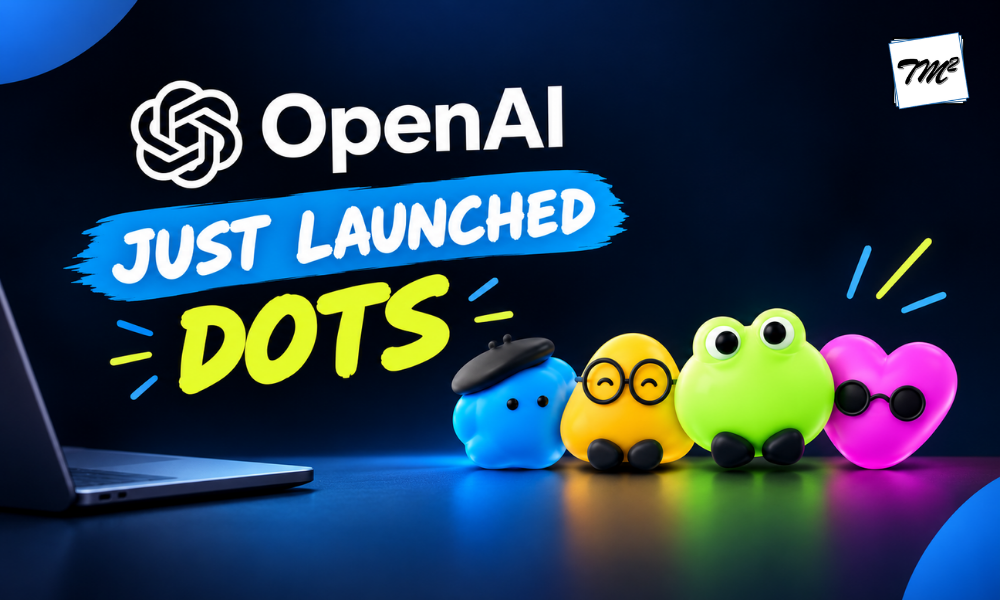
OpenAI introduced Dots as a new type of always-on AI agent designed to take responsibility for ongoing work rather than simply answering individual questions. Dots are powered by GPT-6 Astra and can use their own cloud computer, connected applications, and tools to continue working toward the goals you give them.
So, what exactly are OpenAI Dots, how can they fit into your daily work, and what do you need to know before setting one up? Let’s explore.
How Do OpenAI Dots Help Your Day-to-Day Work?
Have you ever wished you had an extra teammate who could handle the repetitive work while you focused on the tasks that actually need your attention?
What if your AI assistant could do more than answer a question when you ask it? What if it could keep working on an assigned responsibility, follow your instructions, use the tools you give it access to, and come back when there is something worth your attention?
That is where OpenAI Dots can become useful in everyday work.
Think of Dots as having different AI teammates for different responsibilities. Instead of asking one AI to do everything, you can give each Dot a specific role and workflow. Names such as Alfred, Jojo, Iggy, and Felipe can make this idea easier to visualize. Each one can represent a different kind of AI teammate with its own responsibilities, instructions, and working style.
Give Your Dot a Responsibility, Not Just a Prompt
Think of a Dot as a digital teammate. Instead of asking one question at a time, you can define a role, provide relevant context, and specify the expected outcome.
For example, a Dot could help manage recurring reports, organize research, track project information, or turn meeting discussions into follow-up tasks. The goal is to move from prompting AI for individual answers to delegating complete responsibilities.
Connect Dots to the Tools You Already Use
Work rarely happens in one application. Information may be spread across email, documents, calendars, communication platforms, and other business tools.
With supported app connections, a Dot can access the tools and information you authorize. You can also manage these connections and control what the Dot is permitted to access, helping it become part of your existing workflow rather than another isolated AI tool.
Turn Individual Tasks into Complete Workflows
The real value of Dots becomes clearer when multiple tasks are connected.
- Marketing: Organize content ideas, summarize meetings, and turn discussions into social media posts or follow-up tasks.
- Sales: Review customer requirements, organize feedback, and prepare information for client conversations.
- Software Development: Work with connected tools and Codex to investigate issues, support coding tasks, and prepare work for review.
- Business & Management: Organize recurring reports, summarize information, and prepare presentation materials.
- Finance & Analytics: Organize data, summarize reports, and support recurring business updates.
Rather than completing each step separately, a Dot can help move information through different stages of a workflow.
Let Your Dot Handle Recurring Work
What if you didn’t have to remember to start the same task every week?
Scheduled workflows can allow a Dot to work on recurring responsibilities according to a defined schedule. This could include preparing regular reports, organizing updates, or performing routine reviews.
Instead of spending time starting the process, you can focus on reviewing the results and making decisions.
Can OpenAI Dots Work with Codex?
For development teams, Dots can work with Codex as part of software-related workflows. They can support activities such as investigating issues, working through coding tasks, and preparing changes for review.
The developer remains responsible for reviewing the work and making important technical decisions, while the Dot helps with the supporting tasks.
Keep Control with Rules and Confirmations
More automation also means more need for control. Dots can be configured with custom rules, permissions, and confirmation requirements to determine which actions they can take independently and which require your approval.
For instance, a Dot could prepare an email without sending it or organizing information without making changes to the original source. This allows teams to combine automation with human oversight.
Key Capabilities of OpenAI Dots
- Always-On Assistance: Runs 24/7 in the cloud entirely in the background. It does not require your browser window to be opened, or your computer to be turned on to complete long-running tasks.
- Context and Personalization: Learns “what good looks like” by absorbing your style preferences, tone guidelines, and explicit feedback. It syncs with your ChatGPT memories to adapt to your specific role over time.
- Connected Tools: Interacts natively with over 4,000 workplace apps using its own virtual browser. It can securely read cloud documentation, sync project boards, or bridge data between siloed software platforms.
- Proactive Progress: Anticipates the next steps of a high-level goal instead of waiting for a prompt. It acts as an autonomous agent that checks off milestones and updates project canvases independently while you are offline.
- Human Control: Operates under strict human-in-the-loop guardrails. The Dot uses a secure, read-only layer for background research and automatically pauses to surface a draft for your explicit approval before taking sensitive or destructive actions.
How to Set Up OpenAI Dots
Wondering how to get started with OpenAI Dots?
The initial setup is currently done through ChatGPT on a desktop app or desktop web browser. OpenAI’s setup guidance recommends the following process:
Step 1: Open Dots in ChatGPT
Start the Dot creation process and follow the on-boarding instructions.
Step 2: Give Your Dot a Name
You can personalize your Dot with a name and other appearance options.
Step 3: Connect Your Apps
Choose the applications your Dot needs to access, such as relevant work tools, files, or calendars.
Step 4: Define Its Responsibilities
Tell your Dot what you want it to manage. Be specific about your goals, priorities, expectations, and the decisions you want to keep under your control.
Step 5: Set Permissions and Rules
Decide which actions the Dot can take independently, and which ones require your approval.
Step 6: Review and Refine
Start with a real task, review the results, provide feedback, and adjust its responsibilities as you learn what works.
Conclusion
OpenAI Dots can make everyday work easier by handling repetitive tasks, using connected tools, and managing ongoing responsibilities. However, higher subscription requirements, privacy, safety, and user control remain important considerations. As Dots become more capable, the key will be finding the right balance between convenience and control.

